Purchase and restore
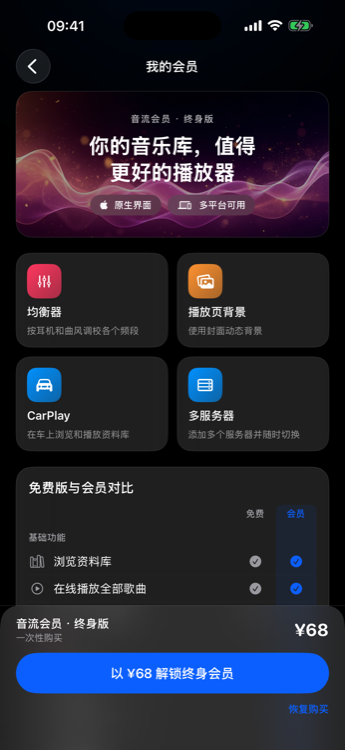
Price
- Reference price: ¥88 lifetime.
- The amount shown at payment time prevails (stores / regions may differ).
Where to buy
| Platform | Channel |
|---|---|
| iOS / macOS / tvOS | App Store (StoreKit) |
| Android (China / direct) | Alipay |
| Android (Play) | Google Play Billing |
| HarmonyOS | Huawei IAP |
| Windows / Linux desktop | Alipay |
| Android TV | No in-app payment — buy on phone, then restore |
| Web | No purchase UI |
Restore
Use Restore purchase in an installed client:
- Email verification code (bind email after purchase; binding cannot be changed — avoid temporary addresses)
- Alipay order ID
- Restore App Store, Google Play, or Huawei AppGallery purchases (same restore flow as Apple)
Legacy StreamMusic members: bind email in the old app first, then restore by email in Musiver.
Refunds
App Store, Google Play, and Huawei AppGallery
Refunds for purchases made through these stores are handled by the store under its own policy. The developer cannot issue store refunds or override store decisions. Eligibility, steps, and timelines depend on the store and your region — follow the official help pages:
- Apple App Store: Request a refund for apps or content bought from Apple
- Google Play: Learn about Google Play refund policies · Request a refund on Google Play
- Huawei AppGallery / IAP: HUAWEI IAP Terms of Service (refund rules) · China users can also use AppGallery self-service refund help: 应用市场应用内支付如何申请自助退款
Alipay (Android direct / desktop)
For membership bought with Alipay on Android (China / direct) or Windows / Linux desktop, contact the developer within 6 months at aqzscn@qq.com with the Alipay order number.
Online verification
Membership uses online checks (randomly on launch). Keep the device able to reach the internet when possible.