Browse and discover
What it is
Browse songs, albums, artists, genres, and radios as your server exposes them. Discover surfaces include daily / random recommendations, recently added, and most played when the server supports them.
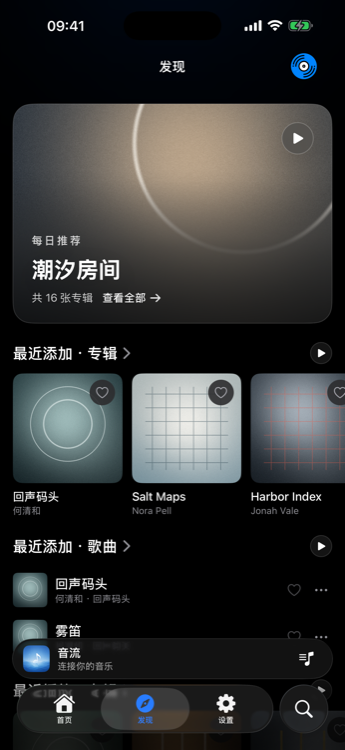
How to use
- Open Songs, Albums, or Artists for the current library.
- Use sort / filter controls offered by that view.
- Prefer Play Next / Add to Queue when you want to keep the current listening order.
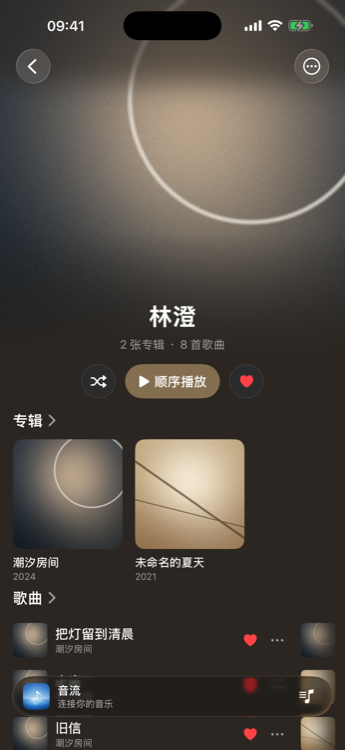
- Open an artist page for albums and tracks returned by the server.
Favorites and history
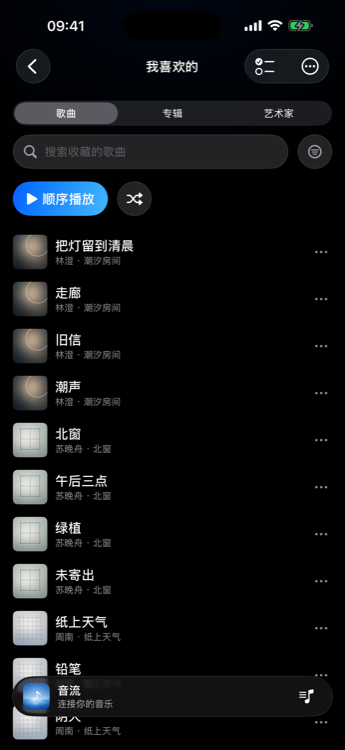
- Favorites: heart a track from a list or the player bar; open Favorites in the sidebar to play them back.
- Play history / recently played: shown when the server or client surfaces it (for example recently played sections on Discover). Exact labels vary by server type.
Membership / platform
Browsing and online playback of the full library are free. A second server requires membership. Folder view from the old library mode is not implemented yet.